https://gitmcp.io/drizzle-team/drizzle-orm
To add this MCP to Cursor, update your ~/.cursor/mcp.json:
~/.cursor/mcp.json
{ "mcpServers": { "drizzle-orm Docs": { "url": "https://gitmcp.io/drizzle-team/drizzle-orm" } } }
To add this MCP to Claude Desktop, update your claude_desktop_config.json:
claude_desktop_config.json
{ "mcpServers": { "drizzle-orm Docs": { "command": "npx", "args": [ "mcp-remote", "https://gitmcp.io/drizzle-team/drizzle-orm" ] } } }
To add this MCP to Windsurf, update your ~/.codeium/windsurf/mcp_config.json:
~/.codeium/windsurf/mcp_config.json
{ "mcpServers": { "drizzle-orm Docs": { "serverUrl": "https://gitmcp.io/drizzle-team/drizzle-orm" } } }
To add this MCP to VSCode, update your .vscode/mcp.json:
.vscode/mcp.json
{ "servers": { "drizzle-orm Docs": { "type": "sse", "url": "https://gitmcp.io/drizzle-team/drizzle-orm" } } }
To add this MCP to Cline, update your ~/Library/Application Support/Code/User/globalStorage/saoudrizwan.claude-dev/settings/cline_mcp_settings.json:
~/Library/Application Support/Code/User/globalStorage/saoudrizwan.claude-dev/settings/cline_mcp_settings.json
{ "mcpServers": { "drizzle-orm Docs": { "url": "https://gitmcp.io/drizzle-team/drizzle-orm", "disabled": false, "autoApprove": [] } } }
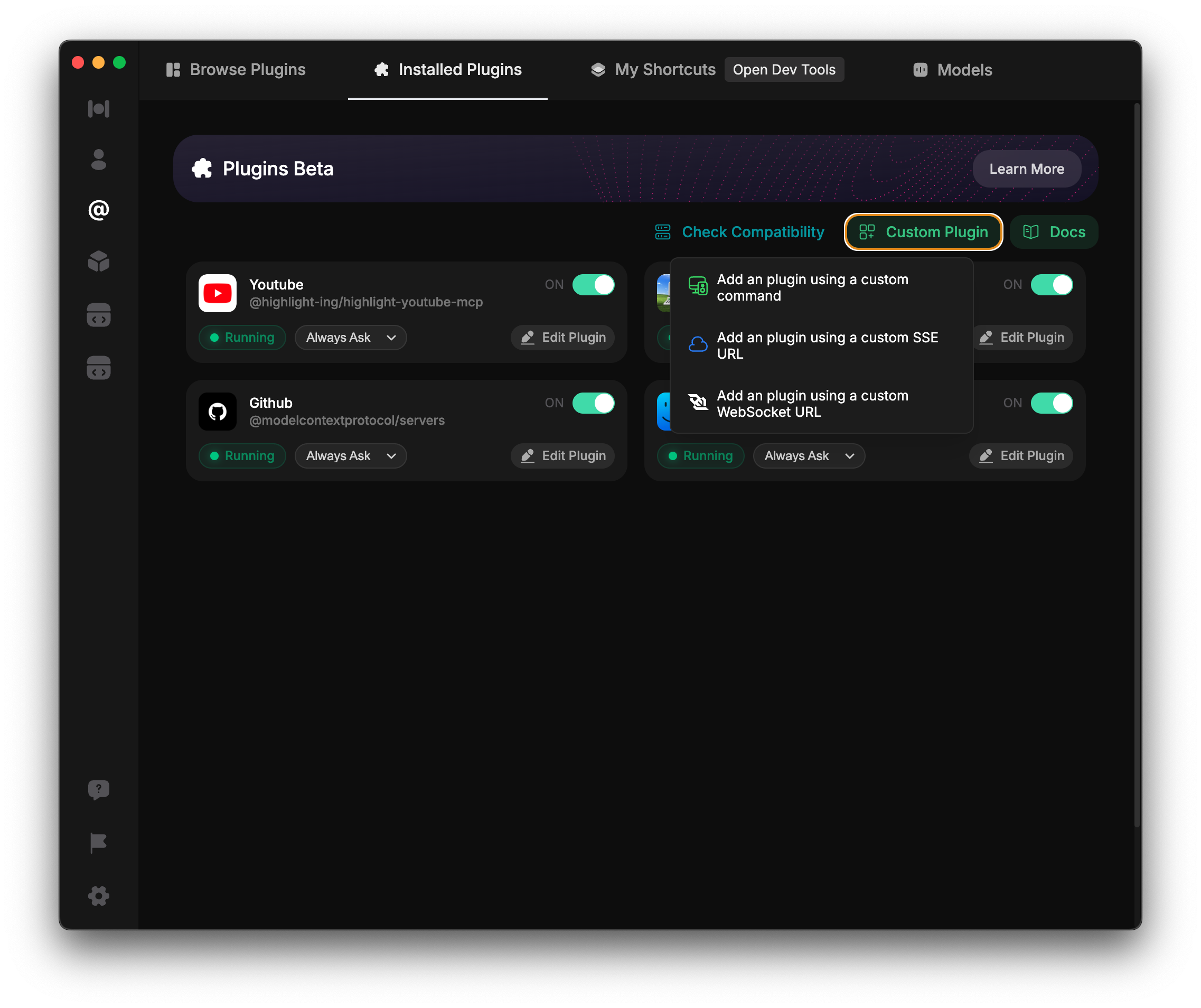
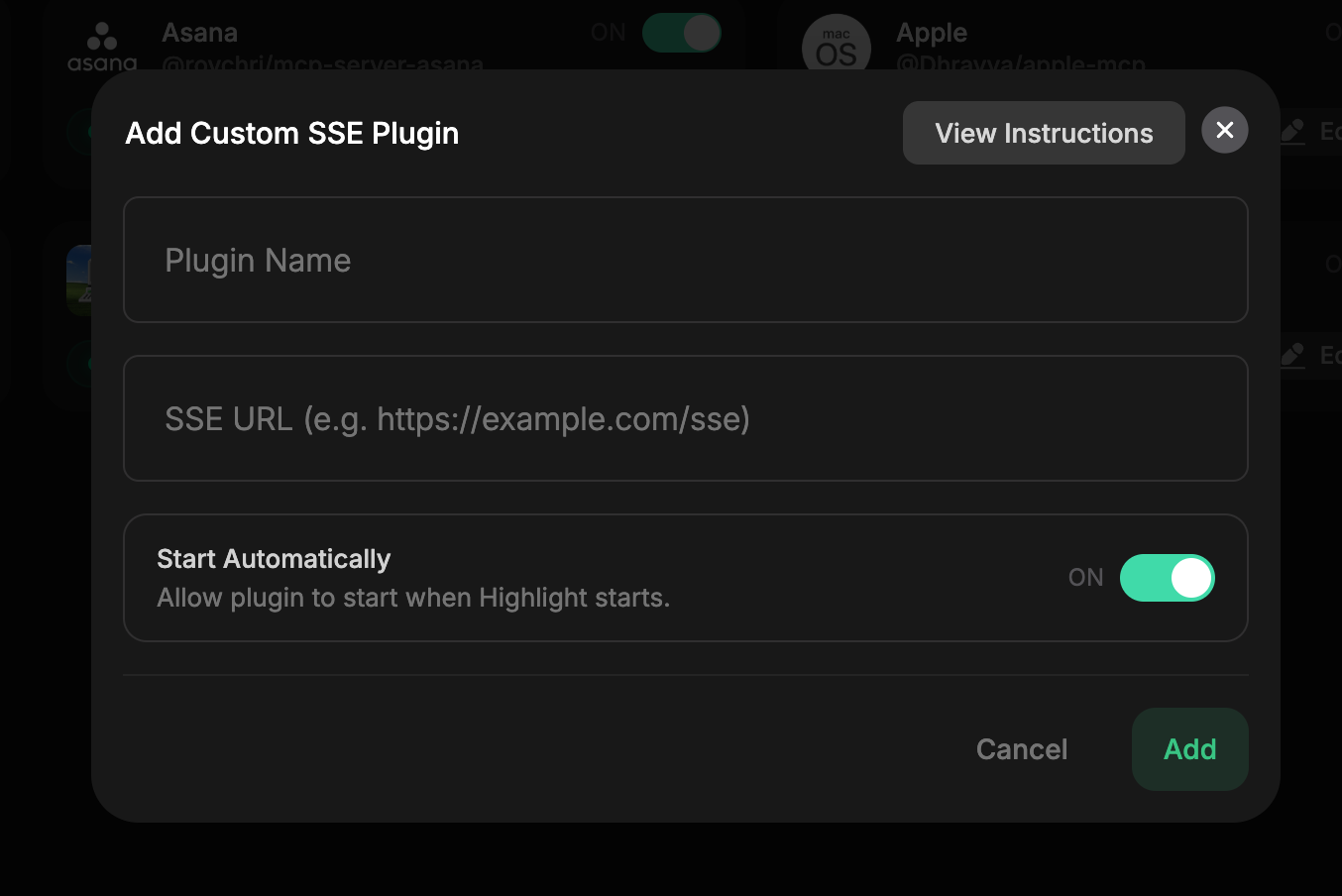
Enter this as your plugin name: drizzle-orm Docs
drizzle-orm Docs
Enter this URL as the SSE URL: https://gitmcp.io/drizzle-team/drizzle-orm
For more details on adding custom MCP servers, refer to the documentation.
Name the MCP server: git-mcp Docs
git-mcp Docs
Use this command: npx mcp-remote $https://gitmcp.io/drizzle-team/drizzle-orm
npx mcp-remote $https://gitmcp.io/drizzle-team/drizzle-orm
Or use the following configuration:
{ "mcpServers": { "git-mcp Docs": { "command": "npx", "args": [ "mcp-remote", "https://gitmcp.io/drizzle-team/drizzle-orm" ] } } }
For more details on configuring MCP servers in Augment Code, visit the Augment Code documentation.
For more details on using Msty AI, refer to the documentation.